Burning Bridges AI
Turn one portrait into the 10-second party trend. Preview the template, upload your photo, and make your version.
Your photo. The party scene.
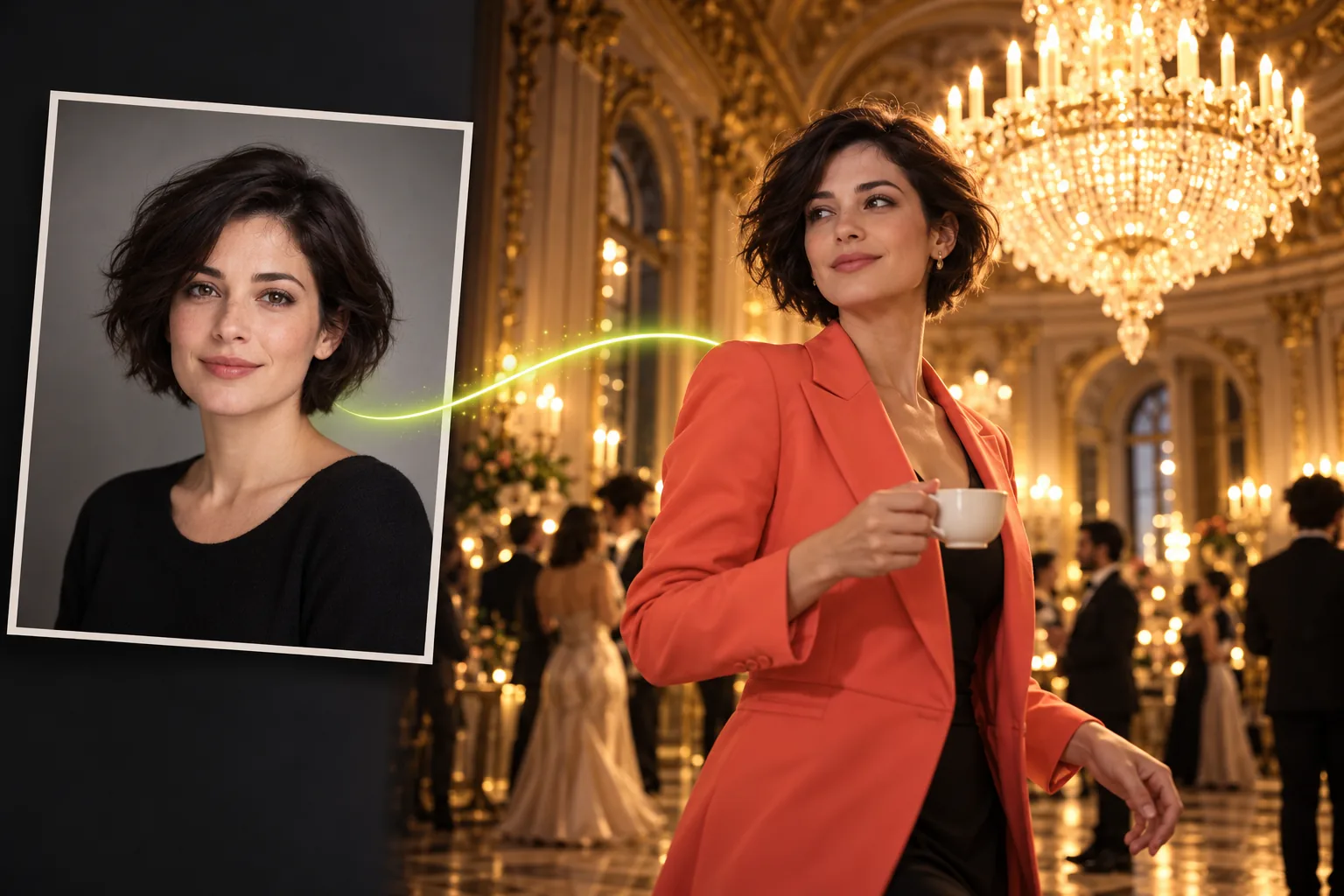
Choose one clear portrait of an adult. Your photo supplies the face; the fixed 10-second reference supplies the performance, clothes and scene.
Try photo selection now. Selecting a photo does not upload it or use credits.
MAKE YOUR VERSION
How to use Burning Bridges AI
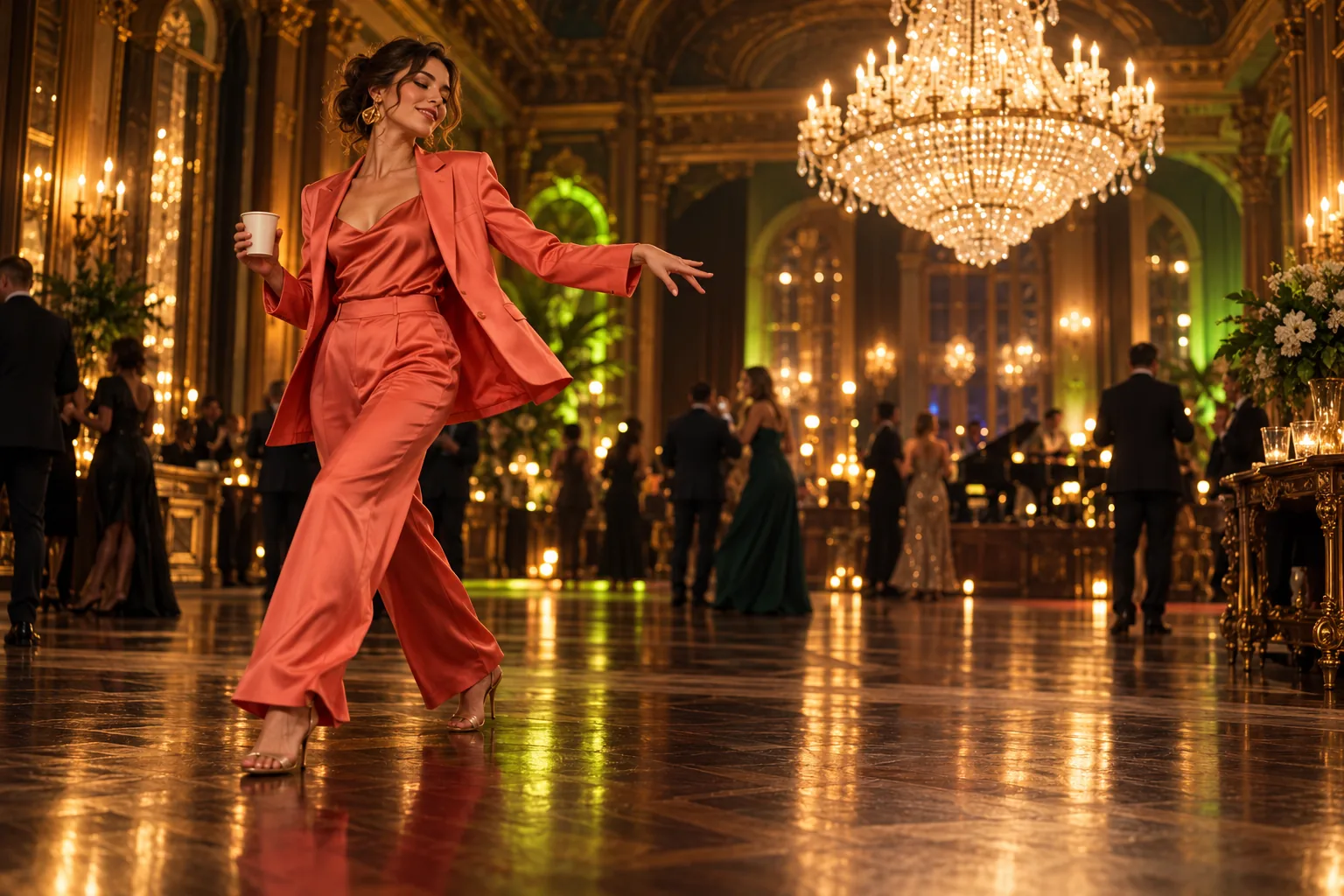
The reference clip sets the scene: warm party lighting, a recognizable searching gesture, and a short music-led edit. Your portrait supplies the person. Watch the full ten seconds before uploading so you know the framing and motion you are choosing. The four examples above show other creators' interpretations of the trend; their length and framing can differ from this site's fixed template.
One photo, one short video
Burning Bridges AI uses a fixed reference to keep the process focused. You do not need to find another clip, write a long prompt, or line up several scenes. Prepare a portrait with one adult face, enough light to see both eyes, and a simple background. The illustration beside these steps explains the input and scene; it is original editorial artwork, not a customer result. Start with a photo taken in even daylight, with the camera near eye level. A clean crop around the upper body gives you room to check the shoulders and head before submitting. If the image looks soft when enlarged on your phone, choose a sharper original rather than a screenshot of it. You can inspect the selected photo in the form before any generation begins.
1. Choose a clear portrait
For Burning Bridges AI, use a recent photo you own or have permission to use. A front-facing or slightly turned face works best as a starting point. Leave some space around the head and shoulders. Strong filters, sunglasses, hands across the face, and group photos make identity harder to preserve. You can replace the photo before submitting.
2. Preview and create
Check the portrait, watch the fixed template, and confirm permission to use the image. Sign in and keep at least one credit available before you create. Burning Bridges AI submits a single video request. Generation can take several minutes; your library keeps track of the task if you leave the page. Repeated clicks do not create extra jobs for the same request.
3. Review and download
When the video is ready, watch all ten seconds before sharing. Check the face during turns, the cup and fingers, and the final frame. Download your copy within 30 days. If you want a vertical social post, crop carefully in your editor and keep the face and gesture inside the frame. Label the result as AI-generated where your publishing platform requires it.
Buy credits when you need them
Start with one video or keep a few credits for different portraits. Every Burning Bridges AI pack uses the same 10-second, 720p template. A completed video costs one credit; a failed generation releases the reserved credit. Buying a larger pack does not change the model, processing priority, or quality guarantee. Credits remain in your account without an expiry date.
Prices are in USD. One credit creates one completed video. Unused credits never expire. Download completed videos within 30 days; uploaded portraits are retained for seven days. These file limits do not affect your balance.
BEFORE YOU CREATE
A familiar scene, with your own portrait
Burning Bridges AI is built around one short reference. That makes the choice easy to inspect: the template stays above the upload form, and the price is shown before you submit. AI can still change a face, miss a small gesture, or produce an awkward frame. Use the reference to judge the style, then review your own result before posting it. For a personal post, think about the moment you want viewers to recognize: the glance across the room, the movement of the cup, or the expression during the turn. Those details help you judge whether a finished edit works. A different photo changes the identity reference, but it does not replace the fixed party setting. If you need a different scene or a longer story, this particular template will not fit that brief.
Know what goes into the edit
The supplied portrait guides identity while the reference guides the movement, camera, and party setting. These signals do different jobs. A sharper portrait helps define the face but cannot promise exact motion, and a recognizable pose cannot guarantee a perfect likeness. Keep your first attempt simple, with one clearly visible adult and a photo that resembles how you want to appear.
QUESTIONS
Before your first Burning Bridges AI video
Put your portrait in the scene
Watch the ten-second reference, choose a clear photo, and make your first Burning Bridges AI video. Your credits will still be there when you are ready for another.